
For patent attorneys and IP firm decision-makers
Patent AI Tools Cost Calculator
Most patent prosecution firms do not need to start with a high-cost patent drafting AI platform. A secure general-purpose AI tool is often a more practical, lower-cost first step.
AI Tools Cost Calculator for Law Firms
Compare what your firm spends today — or is considering spending — on specialized AI tools with a secure general-purpose AI tool. Adjust the inputs below to estimate potential annual savings. The information you enter is not tracked or recorded.
Compare costs before you commit
Patent prosecution firms are often pitched AI tools priced at $300 to $1,000 per seat per month. Many of those tools rely on the same underlying large language models firms can access directly through commercial licenses to ChatGPT or Claude for about $30 per seat per month.
Commercial licenses to general-purpose AI tools also include SOC 2 security certification, encryption, and a contractual commitment that your data will not be used for training.
Need help evaluating these numbers or planning a rollout?
Continue below for the three main categories of AI tools ↓
Three Categories of AI Tools for Patent Practice
Most AI tools used in patent prosecution fall into three categories. Understanding what each category is designed to do is the first step toward making smarter purchasing decisions.
Patent Drafting AI Tools
Generative AI tools built for patent drafting and prosecution workflows. Often high cost, narrower in scope, and built on models firms can also access through general-purpose AI tools.
Patent Proofreading Tools
Rules-based tools designed for precision checks such as antecedent basis, claim numbering, and reference number consistency. They serve a different purpose than generative AI.§
General-Purpose AI Tools
Tools like ChatGPT, Claude, Gemini, and Copilot that can support drafting, prosecution, administrative work, and business development across the firm.
Patent Drafting AI Tools and Platforms
Patent drafting AI tools are generative AI products designed specifically for drafting and prosecution workflows. Many offer structured prompts, guided workflows, and patent-specific interfaces. Most, however, rely on the same underlying models that firms can also access through general-purpose AI tools.
What You’re Actually Paying For
A vendor-designed interface, workflow structure, and prompting layer built on top of underlying AI capabilities firms can often access more directly through general-purpose tools.
The Hidden Cost of Rigidity
If a platform’s built-in workflow does not match how individual attorneys actually draft or prosecute applications, they are likely to work outside the tool rather than in it. That can limit adoption and reduce the value of a high-cost platform.
Patent Proofreading Tools
Tools such as PatentBots, ClaimMaster, and Lexis Patent Optimizer serve a different function than generative AI. These are rules-based tools built for precision checks, and they are often a useful complement to general-purpose AI.
What They Do Best
Patent proofreading tools are designed for tasks such as antecedent basis checks, claim numbering, reference number consistency, patent profanity detection, and mapping claim terms to support in the specification.
Why They Still Matter
These tasks require strict rule-following. You do not want a generative AI model introducing creativity into claim numbering or formal consistency checks. For many firms, a proofreading tool paired with a general-purpose AI tool is a more practical combination than relying on a high-cost drafting platform alone.
General-Purpose AI for Patent Practice
General-purpose AI tools like ChatGPT, Claude, Gemini, and Copilot are not limited to a rigid drafting or prosecution workflow. Even for substantive patent work, they can be adapted to different attorney preferences and work styles.
Shared Team Workspaces
Business and Enterprise licenses give firms shared workspaces where teams can build workflows aligned with firm best practices, client preferences, and the way different attorneys actually draft and prosecute applications.
Practice Group Prompt Libraries
Firms can build reusable prompt libraries for tasks such as drafting background sections, summarizing prior art, outlining office action responses, and other recurring patent work.
Firm-Wide Productivity
Unlike specialized drafting platforms, general-purpose AI tools can support not only substantive patent work but also emails, client correspondence, presentations, checklists, business development, and many other day-to-day functions across the firm.
How to Start Using AI in Your Patent Practice
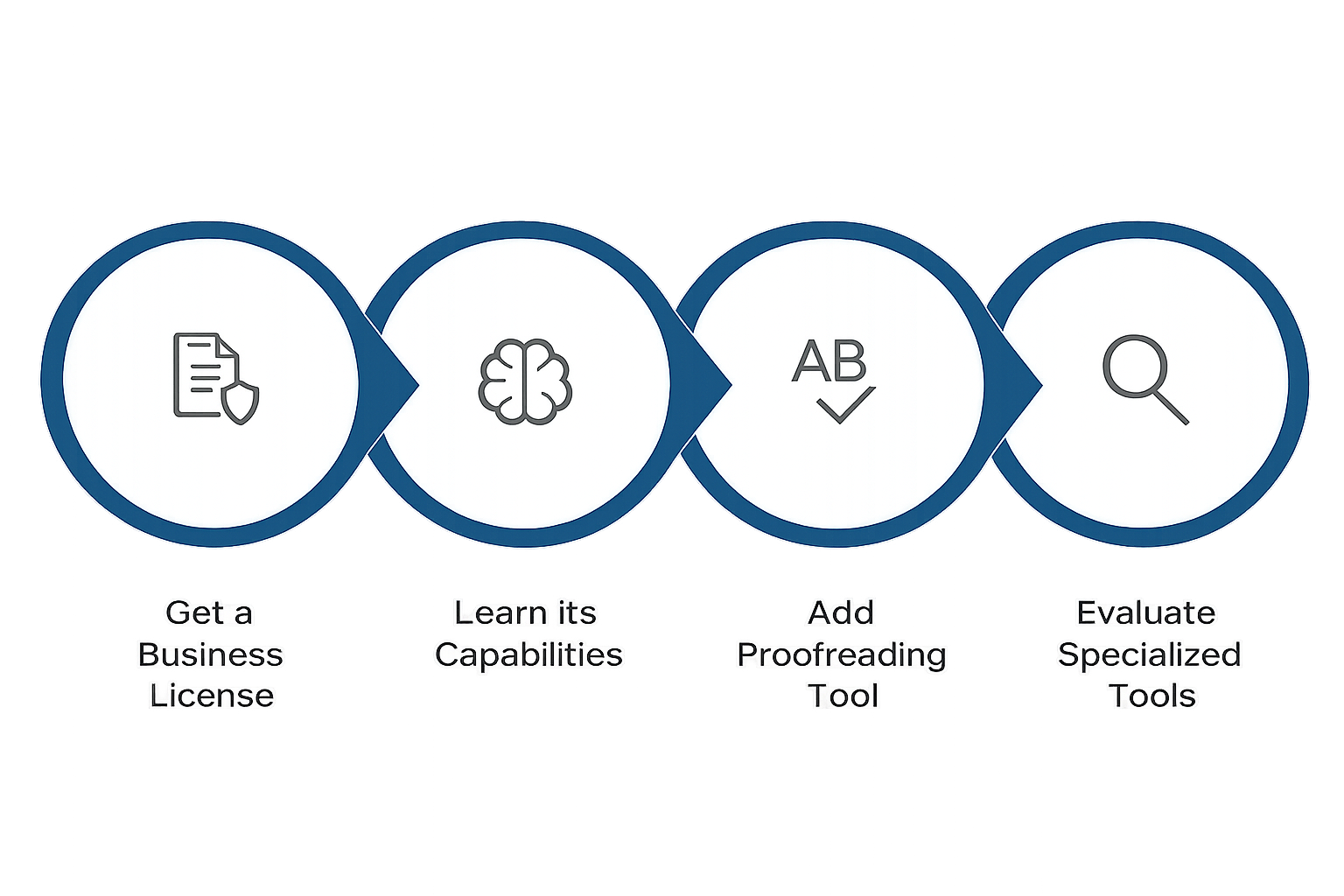
For many patent prosecution firms, the most practical place to start is with a commercial license for a general-purpose AI tool such as ChatGPT or Claude. Learn what it can do across substantive patent work and other recurring firm tasks, then add a rules-based proofreading tool where precision matters.
Once attorneys have developed practical AI skills and understand the tool’s capabilities, the firm is in a much stronger position to evaluate whether a specialized platform adds enough value to justify the cost.

Is ChatGPT secure for law firm client work?
The most common concern about general-purpose AI tools is confidentiality. That was a legitimate issue a few years ago. For firms using a commercial license, it is no longer the barrier it once was.
No Training on Your Data
Business and Enterprise licenses include a contractual commitment that your data will not be used for model training.
Encryption and Security Controls
These licenses include enterprise-grade security controls, including encryption of data in transit and at rest.
SOC 2 Security Certification
Business and Enterprise offerings include SOC 2 security certification, reflecting third-party review of security controls and practices.
Business and Enterprise licenses offer the type of security controls law firms already expect from their existing cloud-based software providers.
Frequently Asked Questions
-
No. A ChatGPT Business or Enterprise license is usually the better first step because it is less expensive and useful across a broader range of work. Specialty drafting tools may make sense later, but you are in a much better position to evaluate them once you understand what ChatGPT can do for your team.
-
Business and Enterprise licenses include SOC 2 security certification, data encryption, and a contractual commitment that your data will not be used for model training. Free and personal plans do not include these protections and should not be used for client work.
-
That is exactly what the calculator on this page is designed to help you evaluate. The right question is not whether the platform looks impressive in a demo. The right question is whether it solves a meaningful problem better than a lower-cost alternative for your specific workflows.
-
Absolutely. Some of the biggest productivity gains come from applying AI to administrative and operational tasks. For example, paralegals can use AI to create checklists, document procedures, or draft standard communications.
Ready to Build a Smarter AI Tools Strategy?
I bring 25+ years of patent prosecution experience and a decade leading an AI legal tech company to every engagement. My guidance is independent and vendor-neutral — no tool affiliations, no commissions, and no conflicts.
If your firm is evaluating patent drafting AI platforms, comparing them with ChatGPT Business, or planning how to roll out AI more effectively, I can help you assess the options and decide where to start.